
Helpdesk Support Without the Bloated Complexity
A Helpdesk service to support your clients featuring: Multi-tenant workspaces, Markdown-based agent replies, live previews, and automated email integration — built for speed, clarity, and simplicity.
Interactive Product Previews
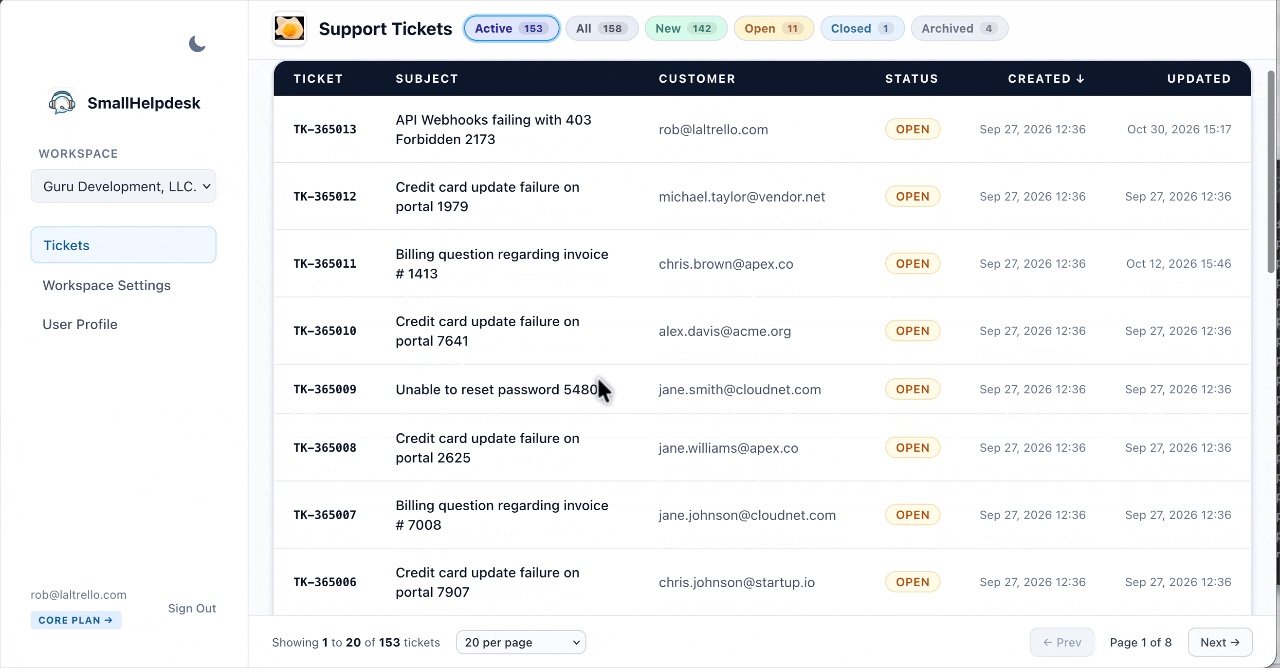
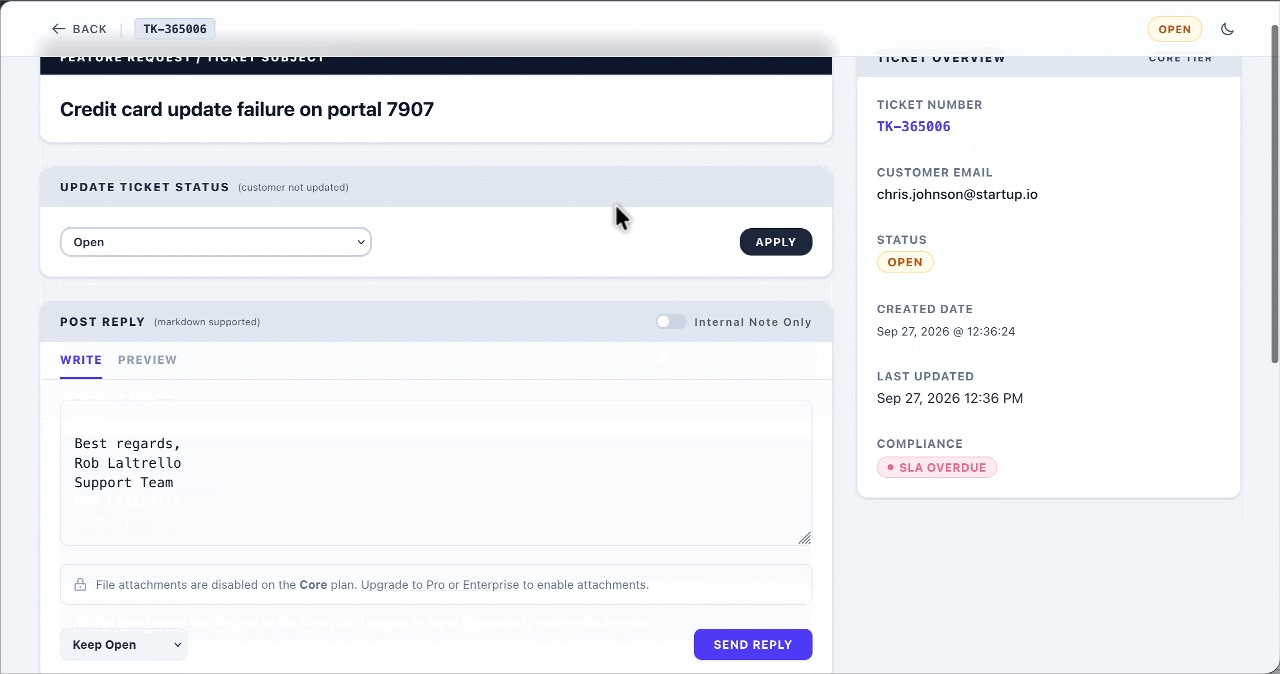
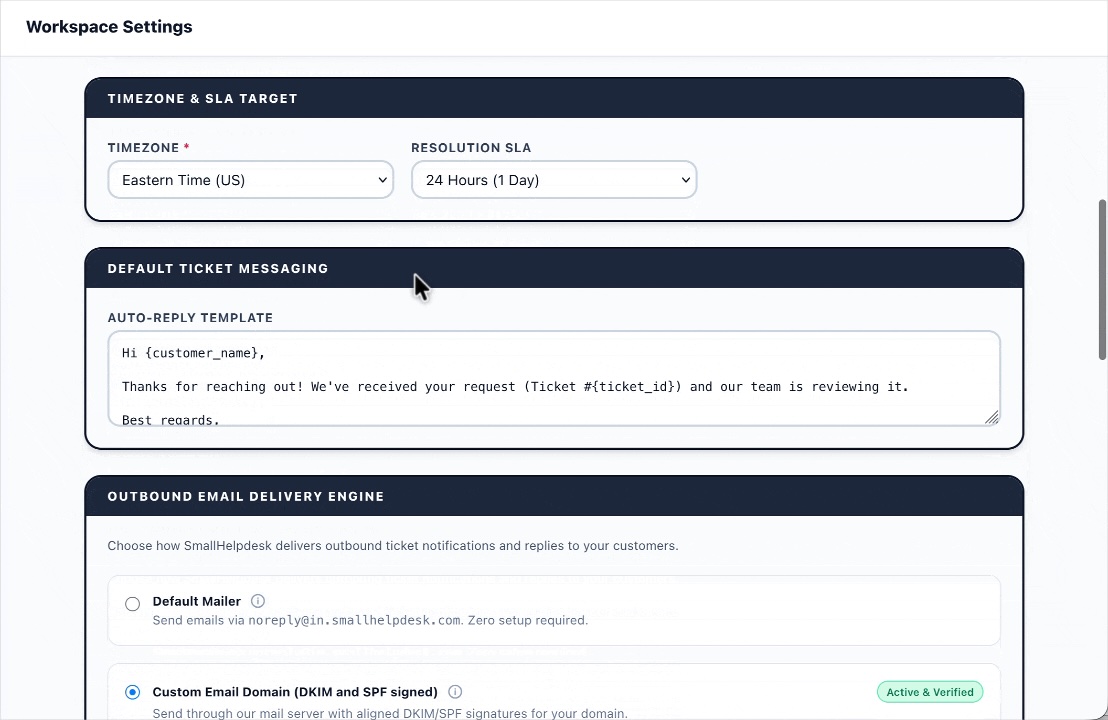
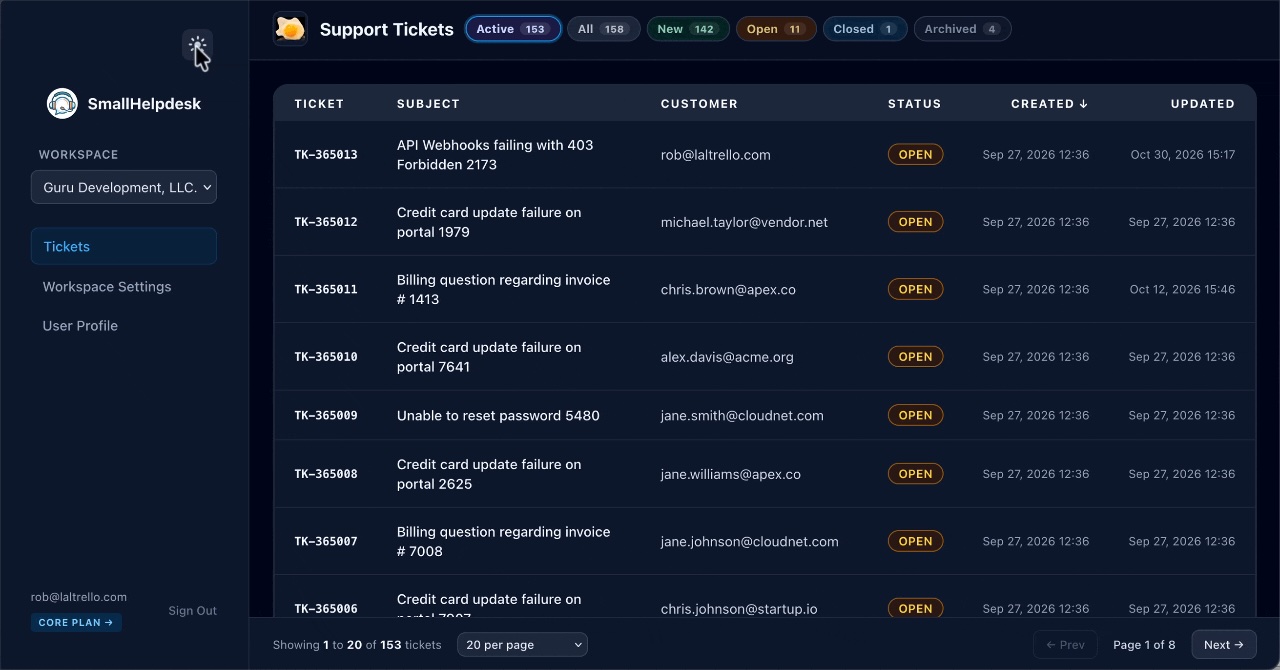
Streamlined Support Infrastructure
Multi-Tenant Workspaces
Isolate client support lines, manage team member permissions, and maintain separate agent profiles per workspace.
Markdown Replies
Compose rich agent responses with live previews, custom signatures, and clean inline code formatting.
Email Inbound & Outbound
Automatic routing converts incoming customer emails directly into organized tickets.
Immutable Ticket History
Keep permanent records with internal notes, soft-hide tombstones, and clear SLA compliance tracking.
Lightning Fast Threading
Toggle activity threads between newest-on-top or oldest-on-top views instantly with persistent user preferences.
Secure & Private
Designed with robust session security, strict workspace validation, and complete data ownership.
Tier-Based Features
Advanced features and custom storage limits across for Pro, and Enterprise tiers.
Simple, predictable pricing plans
Choose the tier that fits your support volume. Scale capabilities anytime.
Core
- ✓ Single tenant ticketing
- ✓ Markdown agent replies
- ✓ Email forwarding inbound
- ✓ Community support
Pro
- ✓ Everything in Core
- ✓ File attachments enabled
- ✓ Email configuration flexibility
- ✓ Use your custom domain
- ✓ Priority email support
Enterprise
- ✓ Everything in Pro
- ✓ Advanced multi-workspace
- ✓ Add Agent users to manage ticket queue
- ✓ Dedicated SLA & Support
Frequently Asked Questions
How does email inbound processing work?
For standard setups, simply forward your customer support emails to your unique workspace address (e.g., yourspace@in.smallhelpdesk.com). Our custom dispatcher stack automatically ingests them, parses customer threads, and populates your ticket queue. Pro and Enterprise tiers also support custom domains for both inbound and outbound routing (e.g. support@yourdomain.com).
Can I manage multiple workspaces or teams?
Yes. SmallHelpdesk's Enterprise tier features multi-tenant workspace isolation. You can easily switch between workspaces from the sidebar, and higher tiers allow you to configure separate teams, branding, and ticket queues for distinct projects or clients.
How are SLAs and breach windows tracked?
You can define a custom resolution target window (in hours) under your workspace settings. SmallHelpdesk automatically flags open or new tickets that exceed this threshold as active SLA breaches, giving you immediate visibility on your reports dashboard.
What real-time notification options are available?
SmallHelpdesk supports instant push notifications and alerts out of the box. You can route alerts via lightweight ntfy.sh push topics so your team never misses a critical customer message.
How does ticket search work?
The unified search engine lets you instantly query across subjects, customer names, email addresses, message body text, and attachments—making it fast to track down historical context or specific user requests.